Organization Management
Submitting an athlete injury
National Federations are responsible for submitting injuries for their athletes to activate the injury protocol and thus protect their points on the ranking. The process must align with your ranking rule book, e.g. WSPL Rule Book (in this case: submit injury with a maximum delay of 30 days to the date of injury).
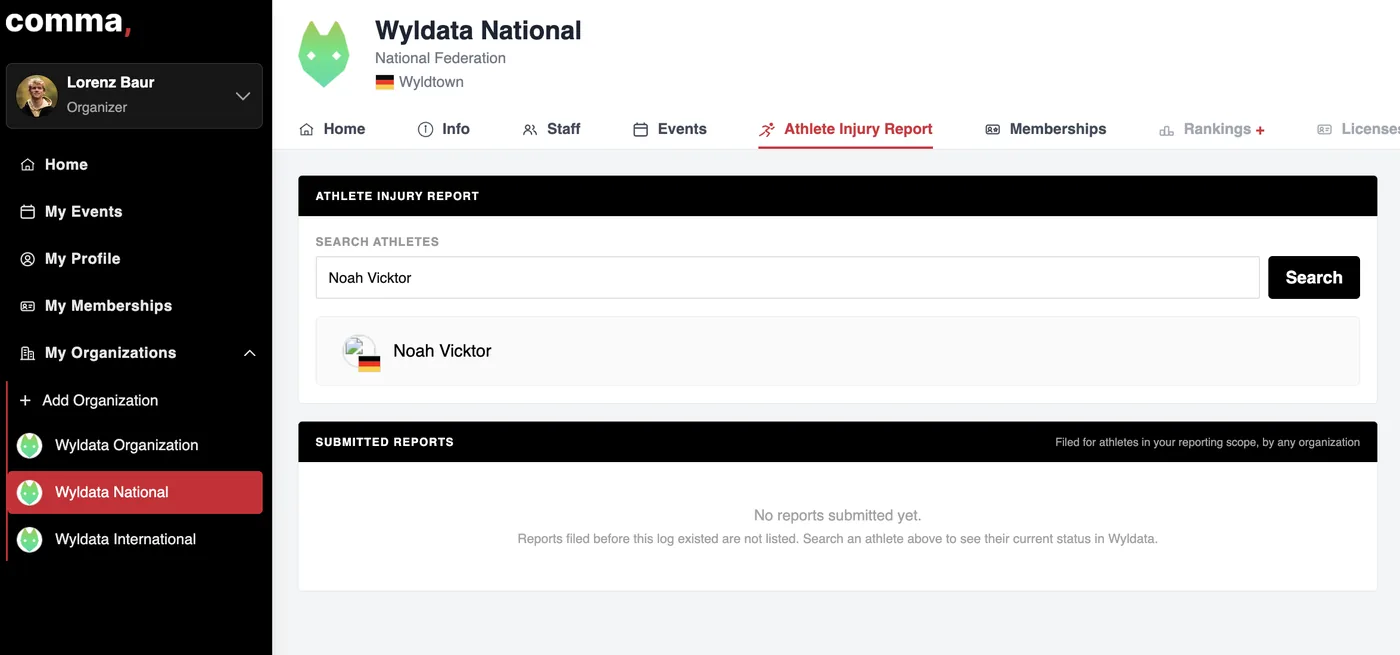
1Click on your Organization
2Navigate to Athlete Injury Report Tab
3Enter the Athlete's first and last name
4Select Athlete and fill in all information (enable the check box if you do not want to make this information public (The ranking will show an injured and protected points icon anyway)
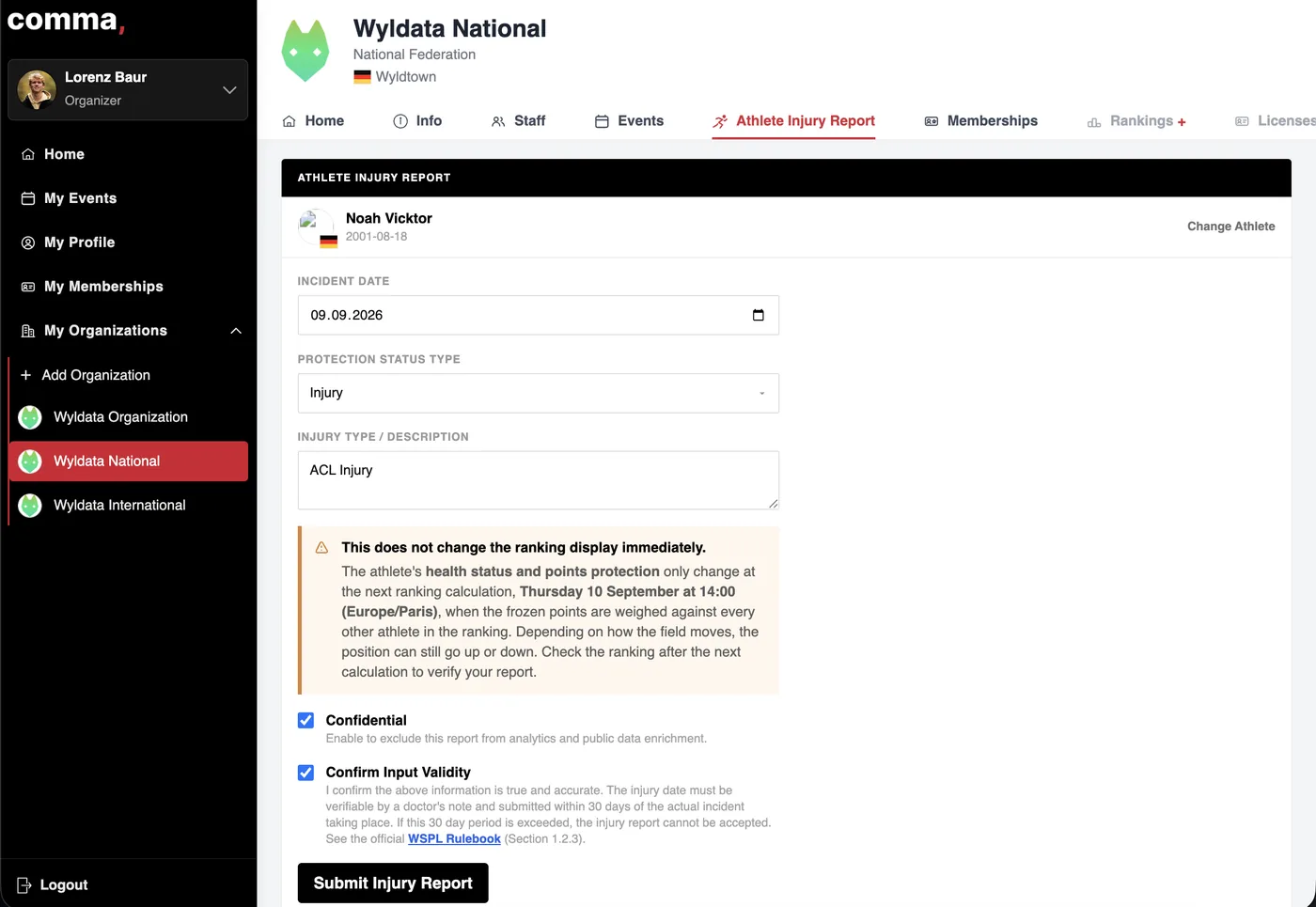
5Click Submit Injury Report
You get a quick overview on the protected points. In the section Submitted Reports you can see an overview on your submitted injuries.
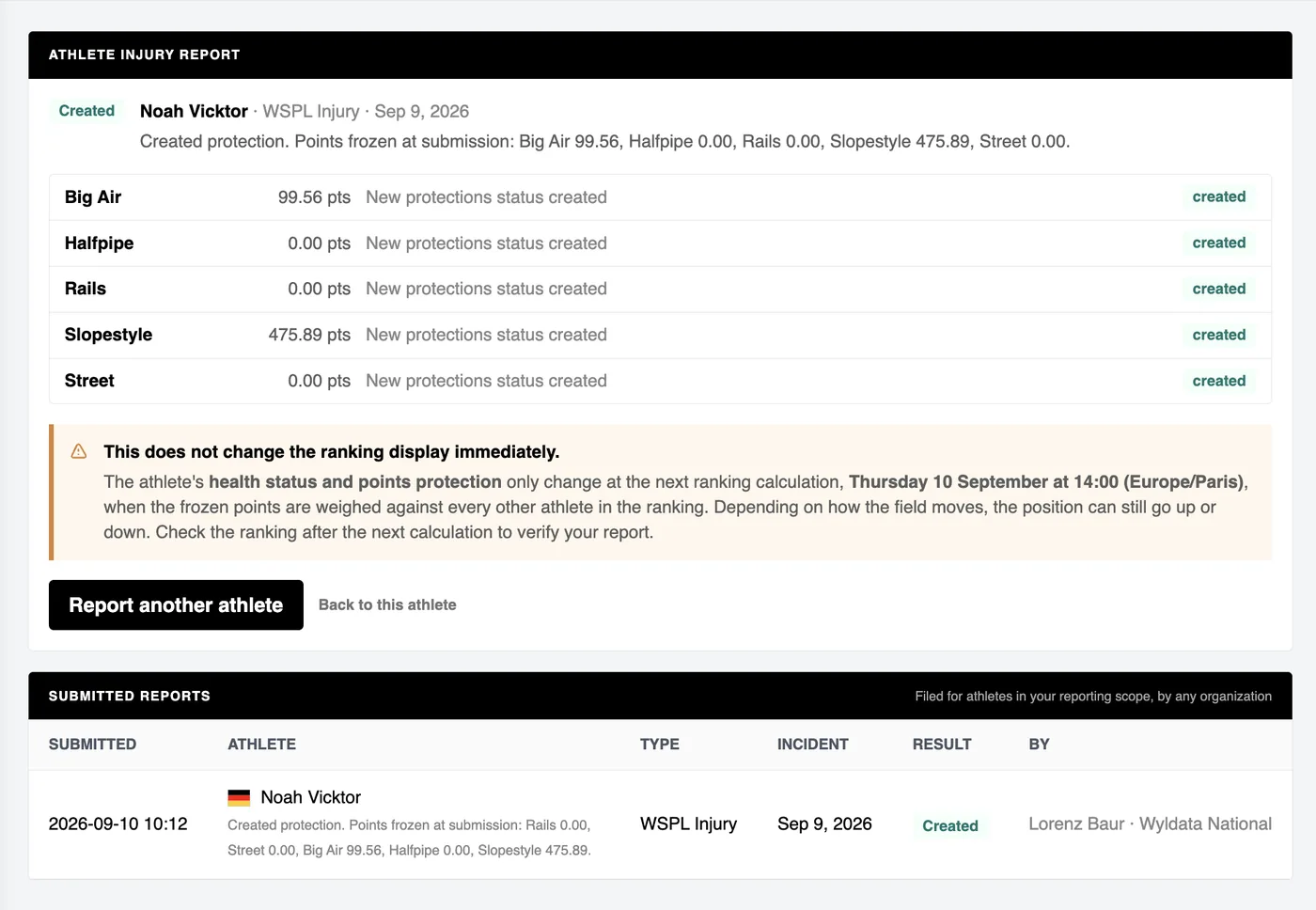
6The athletes points are protected from the next recalculation date on!
"This is a self managed process, that is constantly monitored and randomly checked by the CLAG. Any violations lead to penalties." - WSF