Create New Event
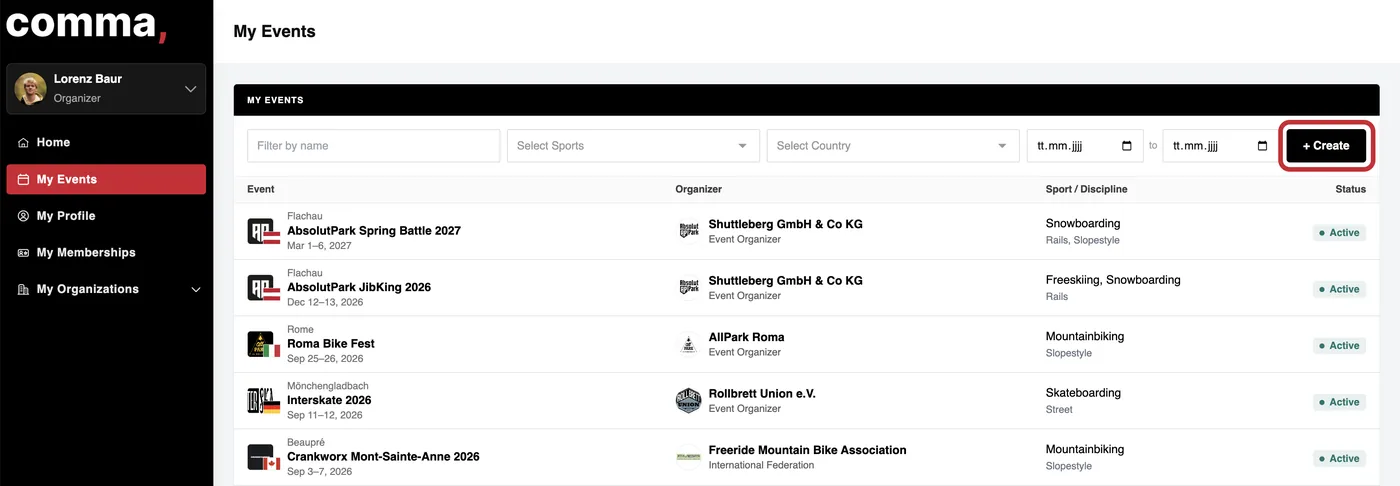
Navigate to 'My Events' and Click 'Create Event' in the top right corner
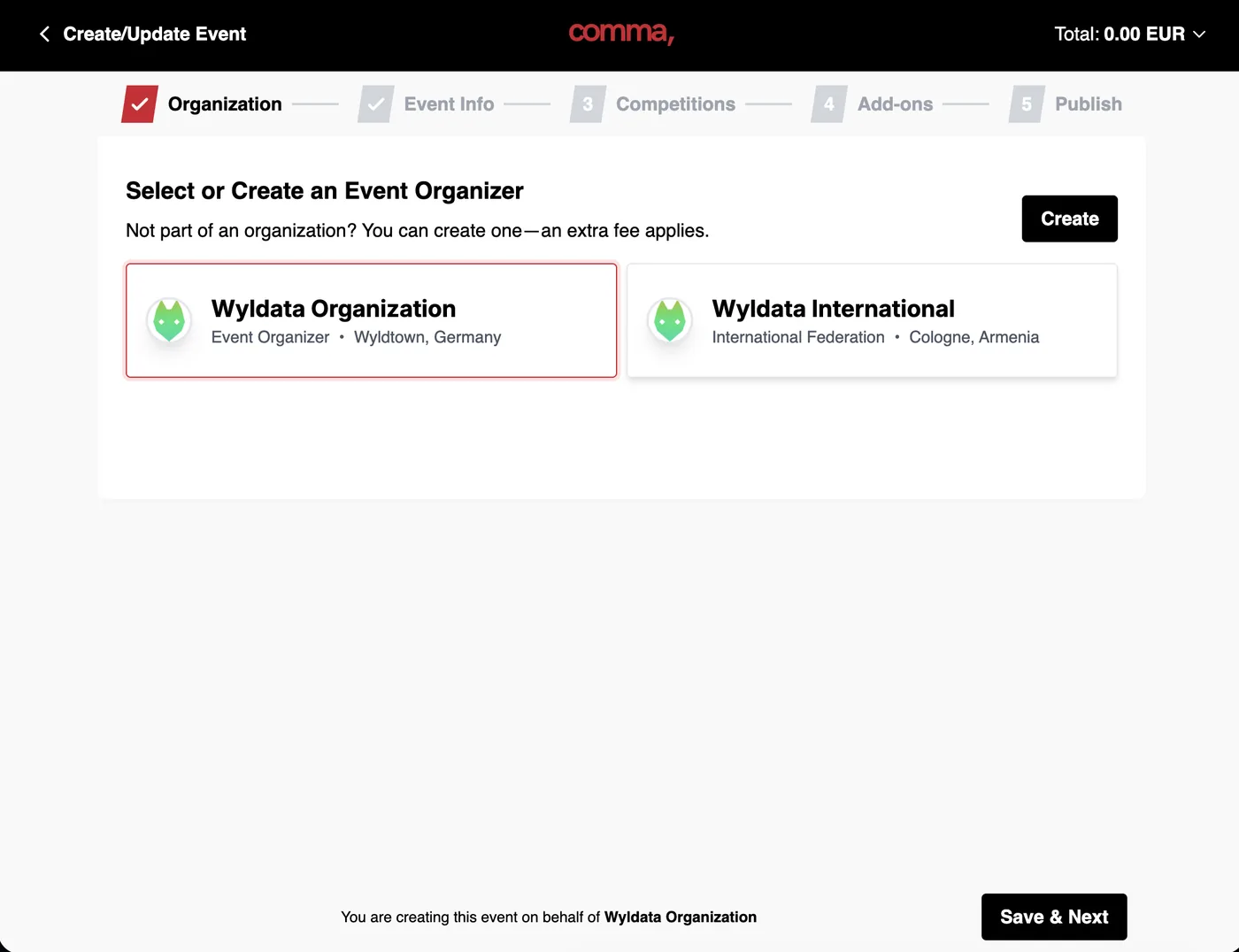
Select your Organization, or create a new one (International/National Federations must be created by us, please send an email to lorenz@wyldata.com). Here you select the organization that is actually organizing the event, not the governing body!
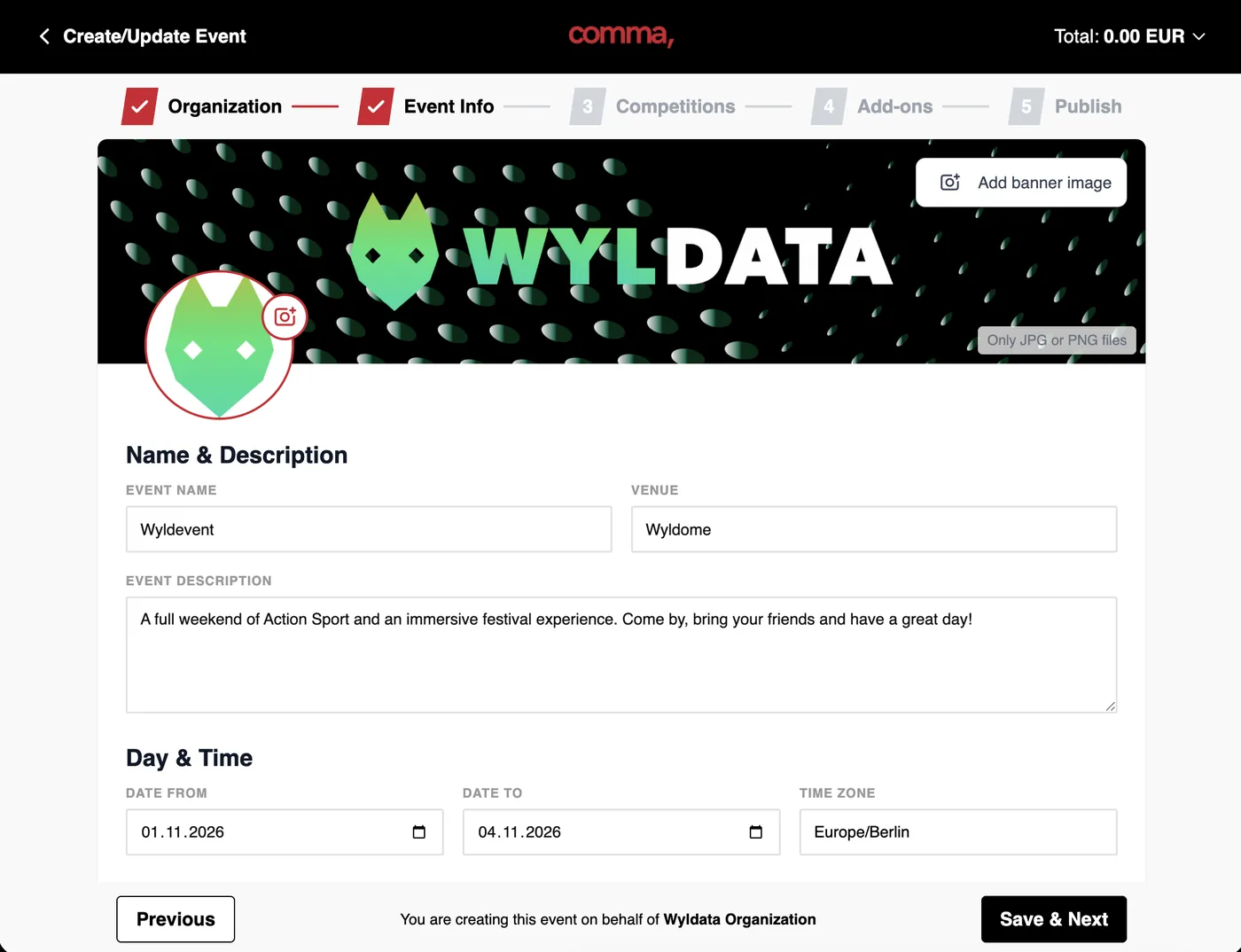
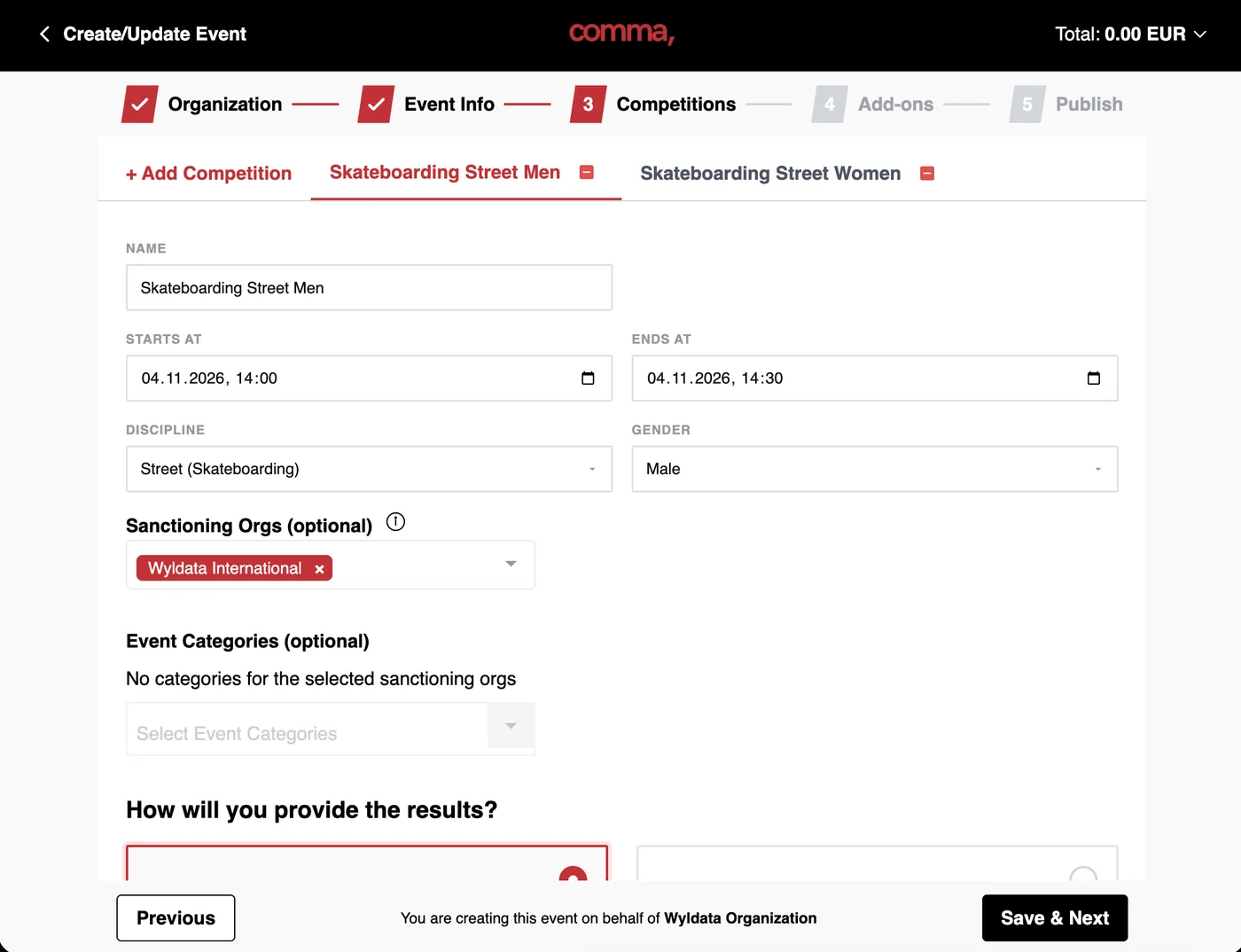
Name: Enter the name for your competition so that athletes know for which sport, discipline and gender they register.
Sanctioning Orgs: If you belong to a governing body, such as World Skate, WSF, DRIV, etc. select the organization. This will also apply any deal packages that are active for your organization.
Event Categories: Select the category for your event such as bronze, silver, gold, so ranking points are distributed correctly. Need a Ranking for your Event Series, Nation, or Club? Reach out to us!
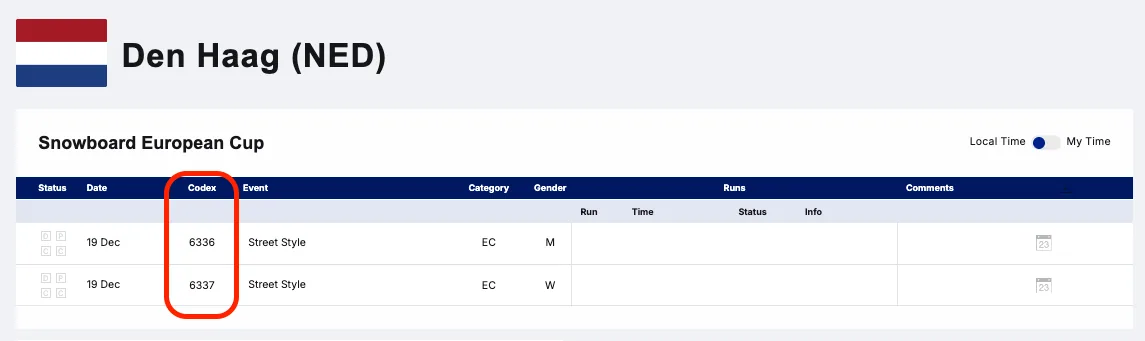
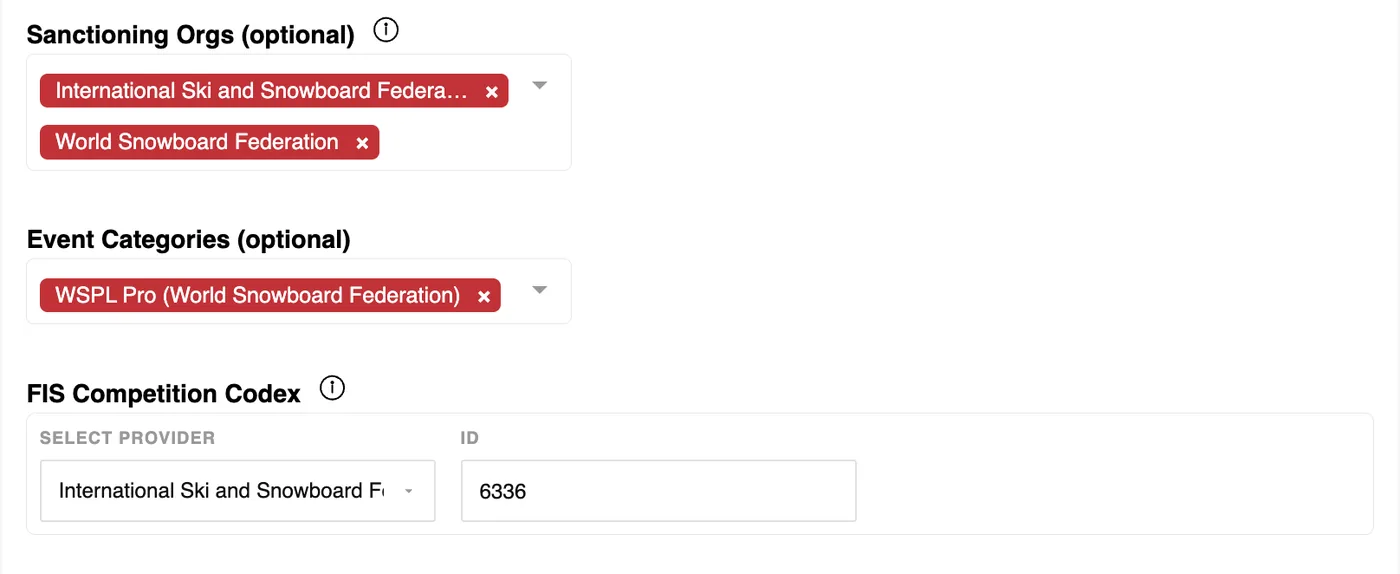
Double Sanctioned Events (FIS & WSF): If your event is double sanctioned, and you do want to use the manual mode (.csv file upload), make sure to enter the FIS Competition Codex per competition!
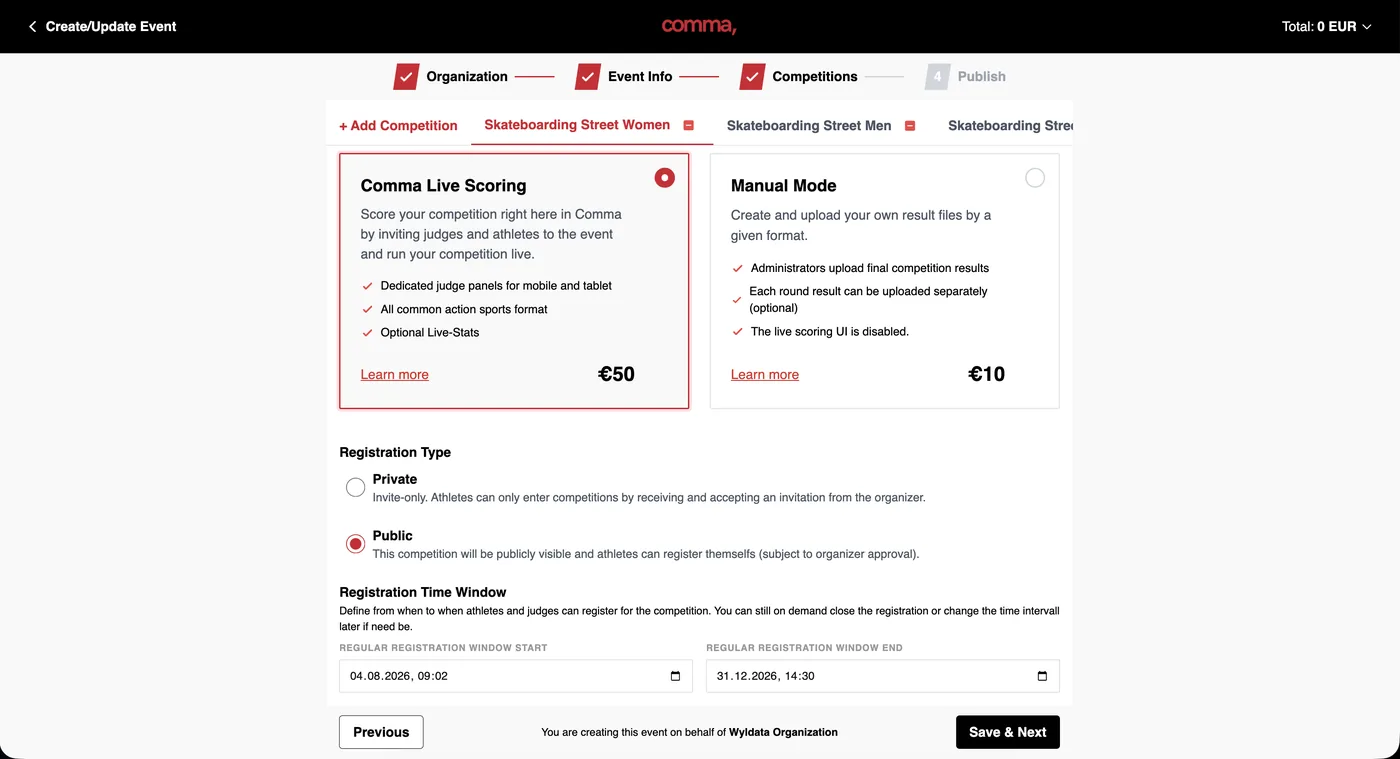
Comma Live Scoring: Run your event directly in comma, from athlete and judge registration, schedules, full scoring judging panel, and direct submission of the results into certain rankings.
Manual Mode: Hand in a .csv file. The csv file is checked by us and uploaded manually, thus will potentially show later on certain rankings.
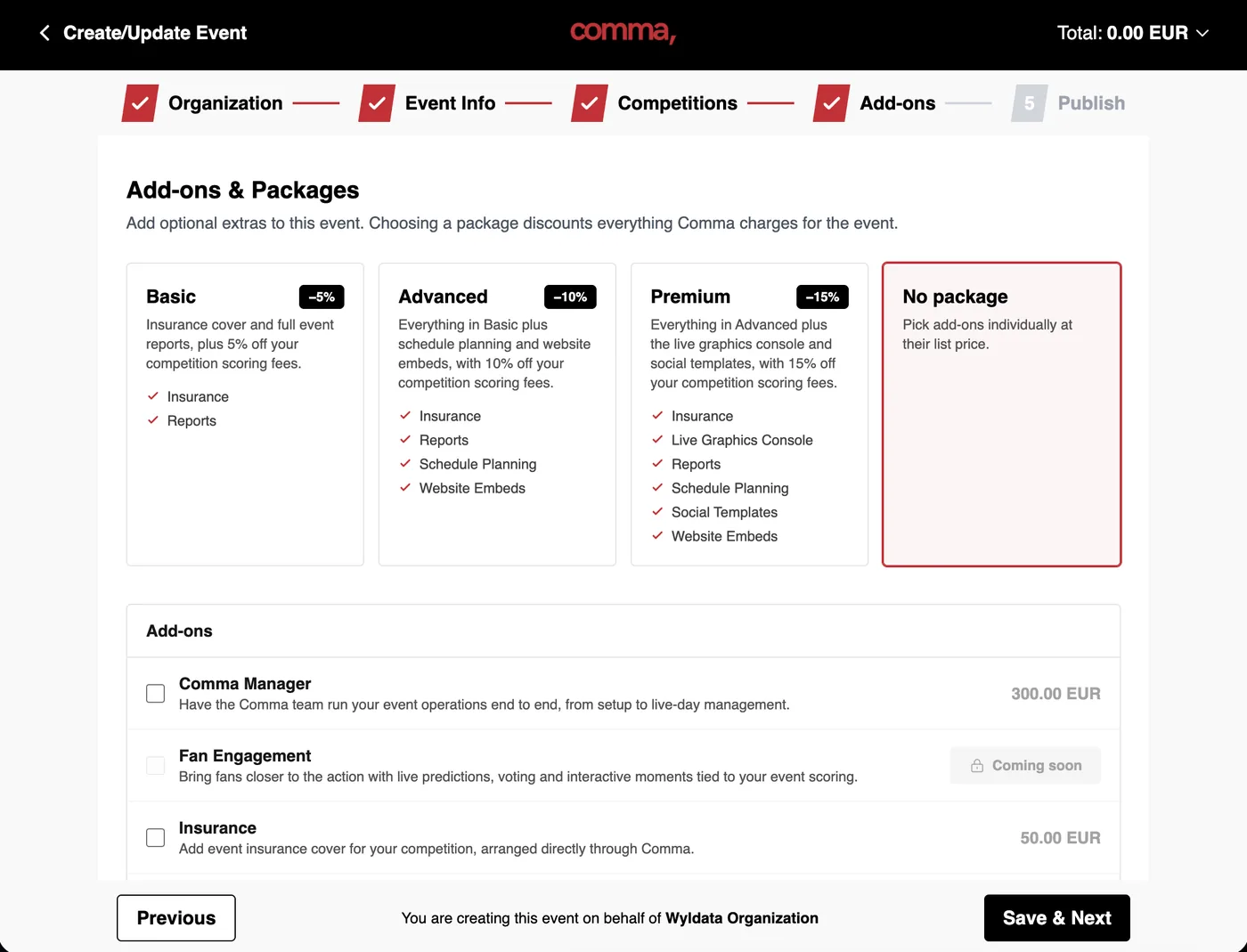
Packages: Our packages combine the most popular add-ons into one bundle for a discounted price!
Select Add-Ons: You can either add individual add-ons to your package choice or book them individually.
.
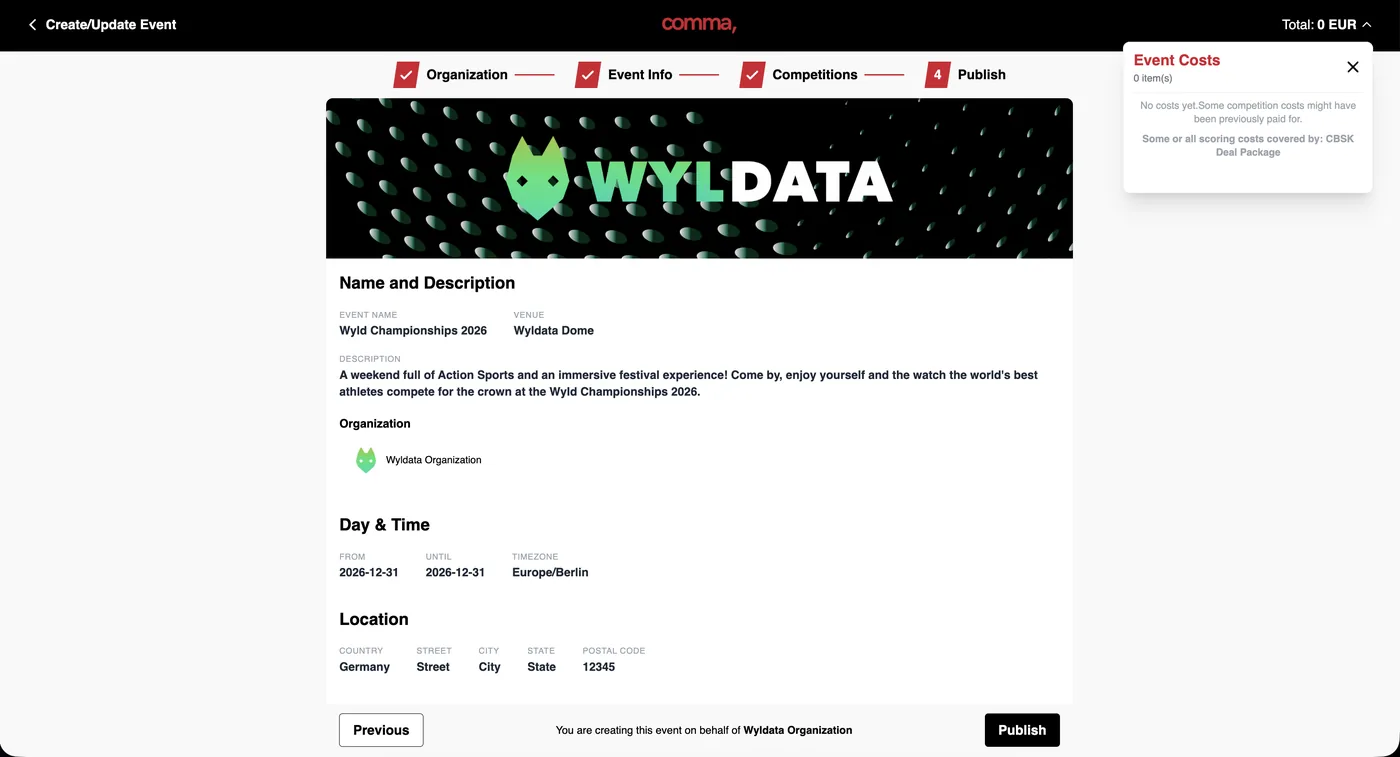
Double Check the event and competition information and publish / pay for your event